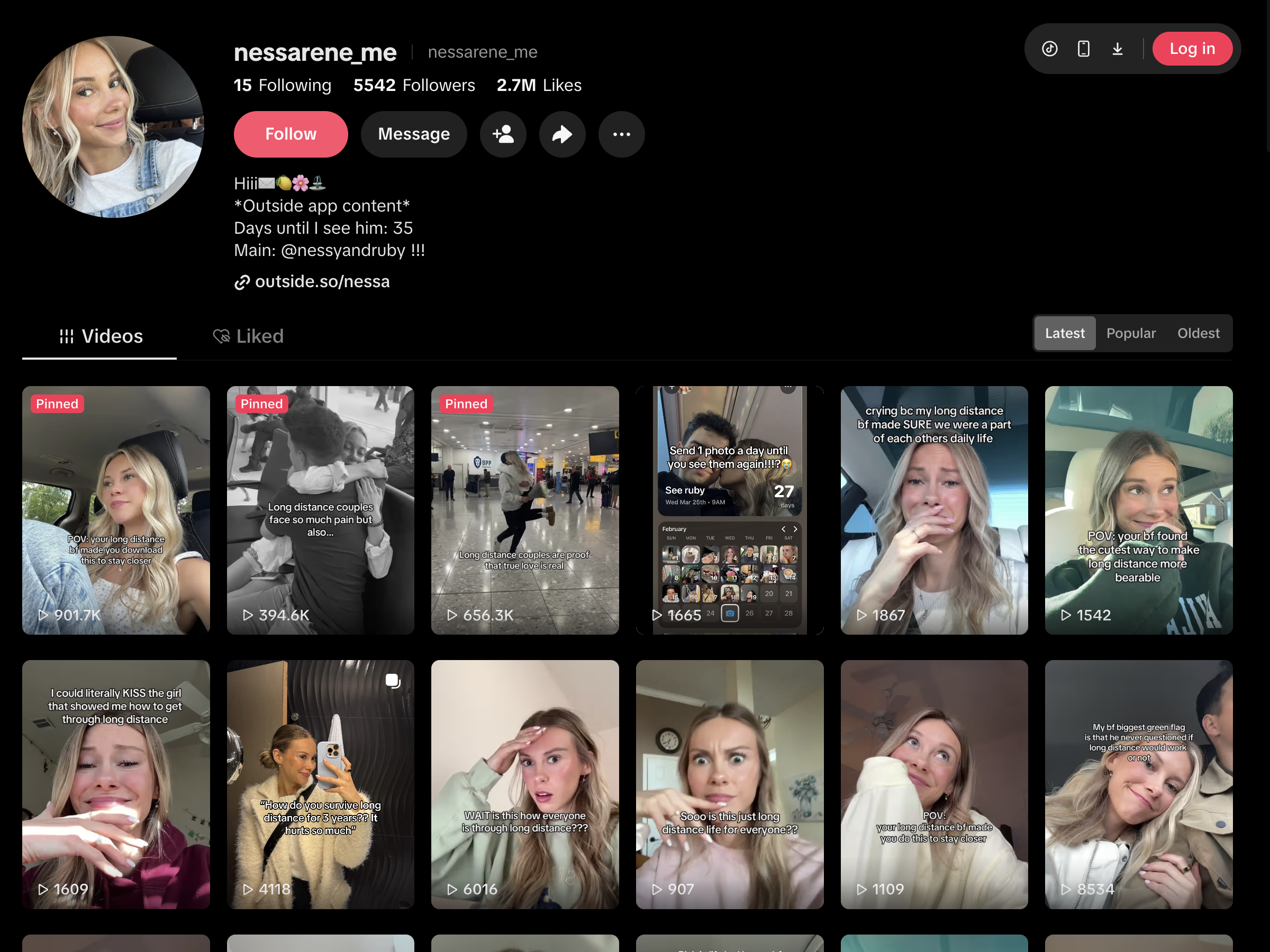
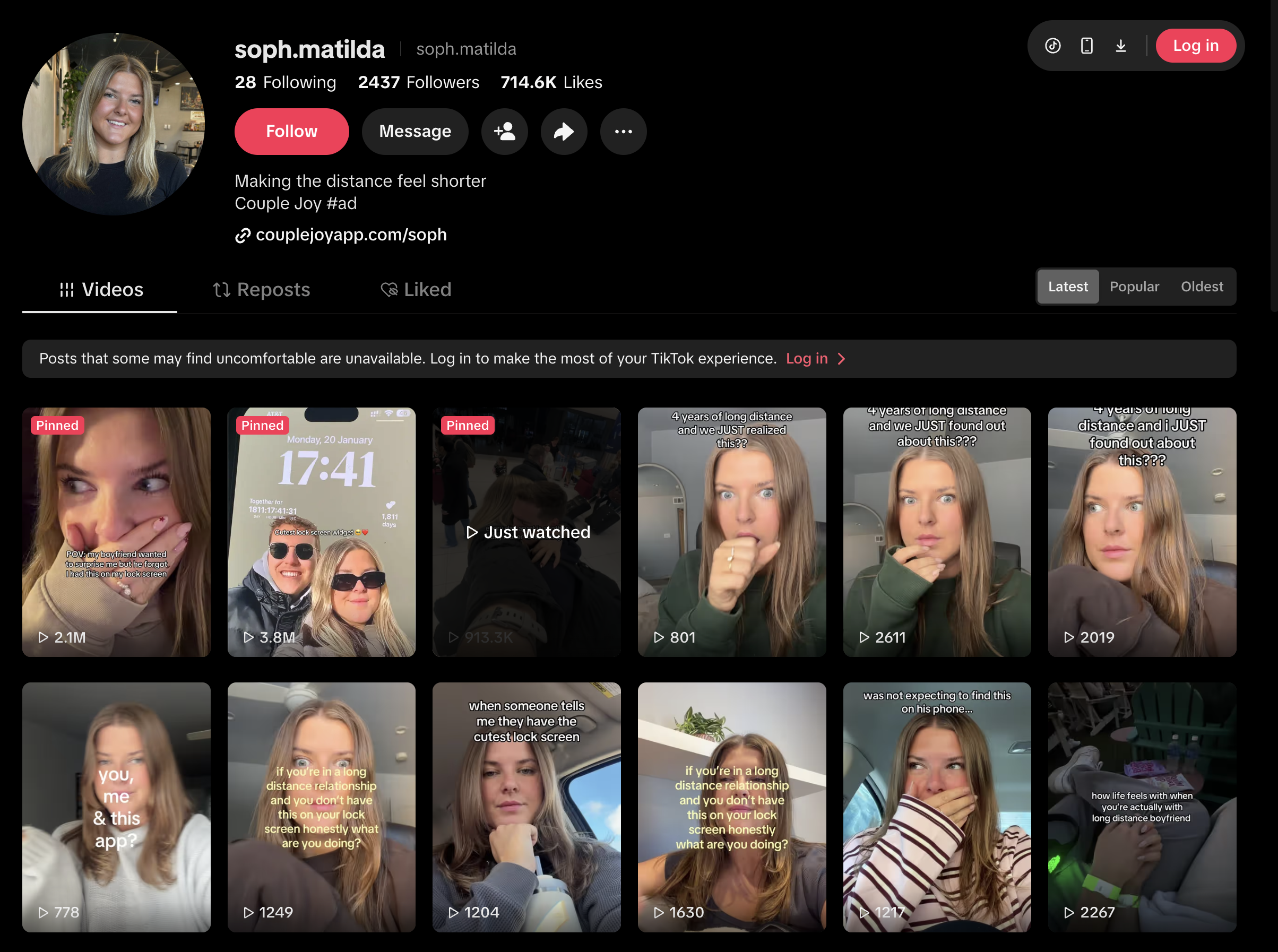
Pretty Progress creator guide

Couples

This theme is about the small moments and milestones in a relationship: the time you’ve spent together, missing each other during a trip, or looking forward to your next long-distance visit. Use Pretty Progress to make that time visible in a personal, relatable story.

Pretty Progress assets

These are example assets you can download and use in your posts. Using them is optional.

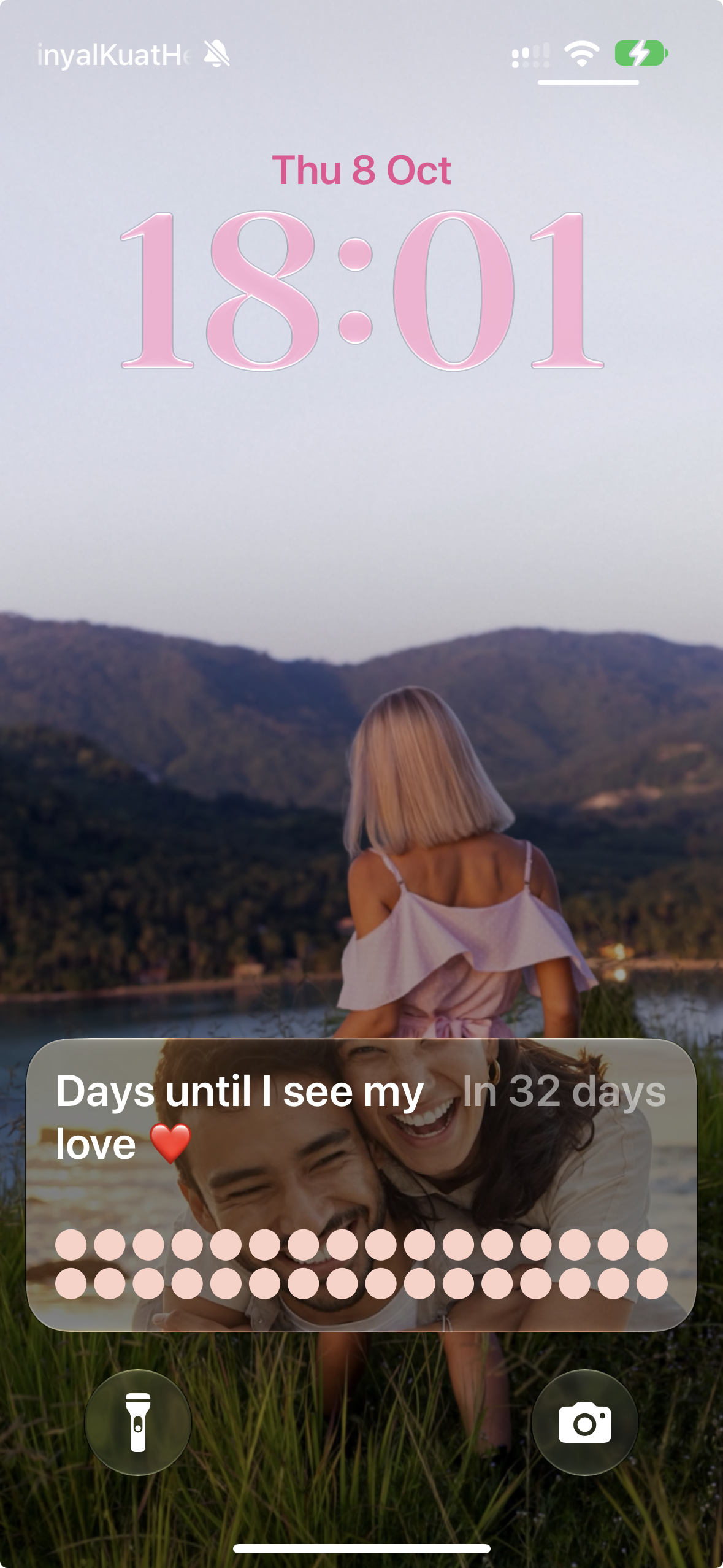
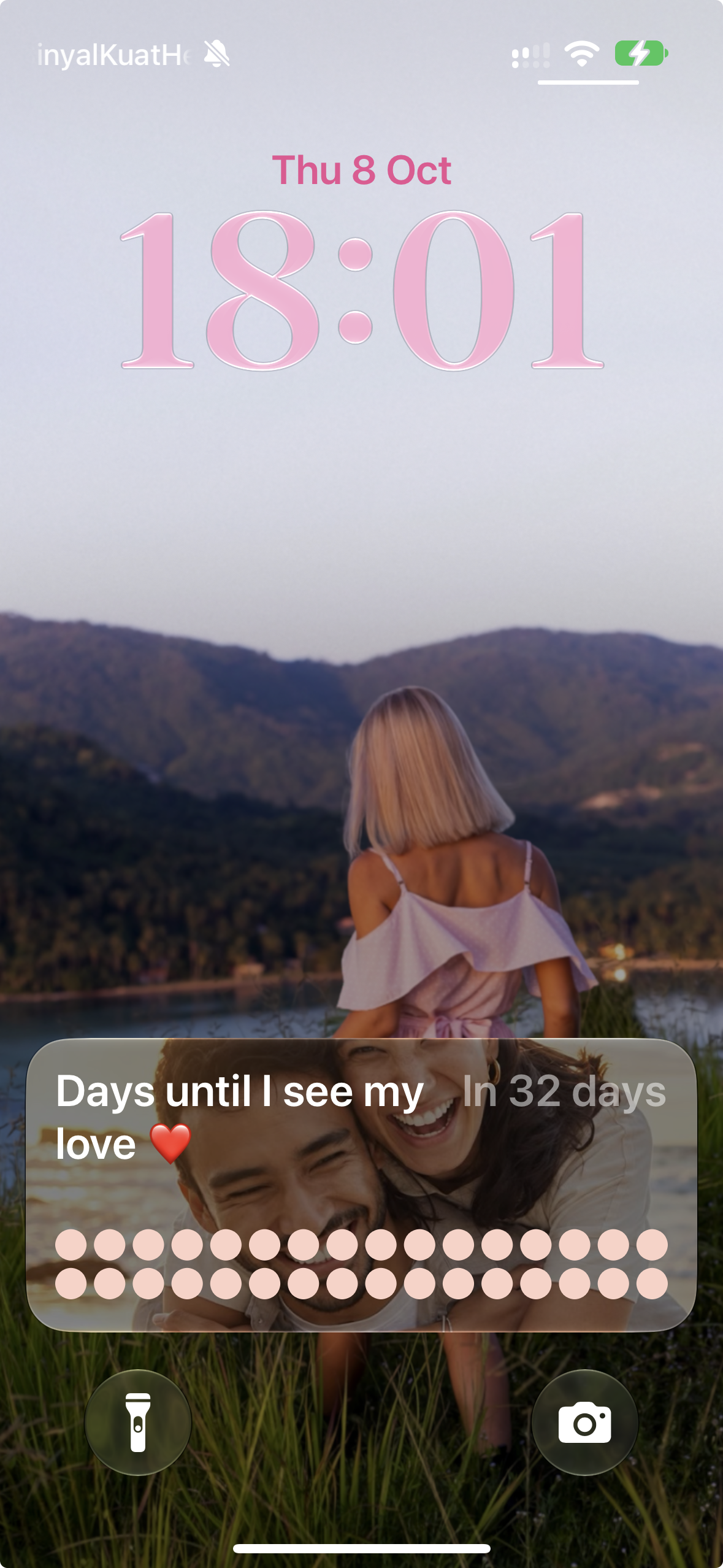
Lock Screen countdown
Lock Screen to app recording
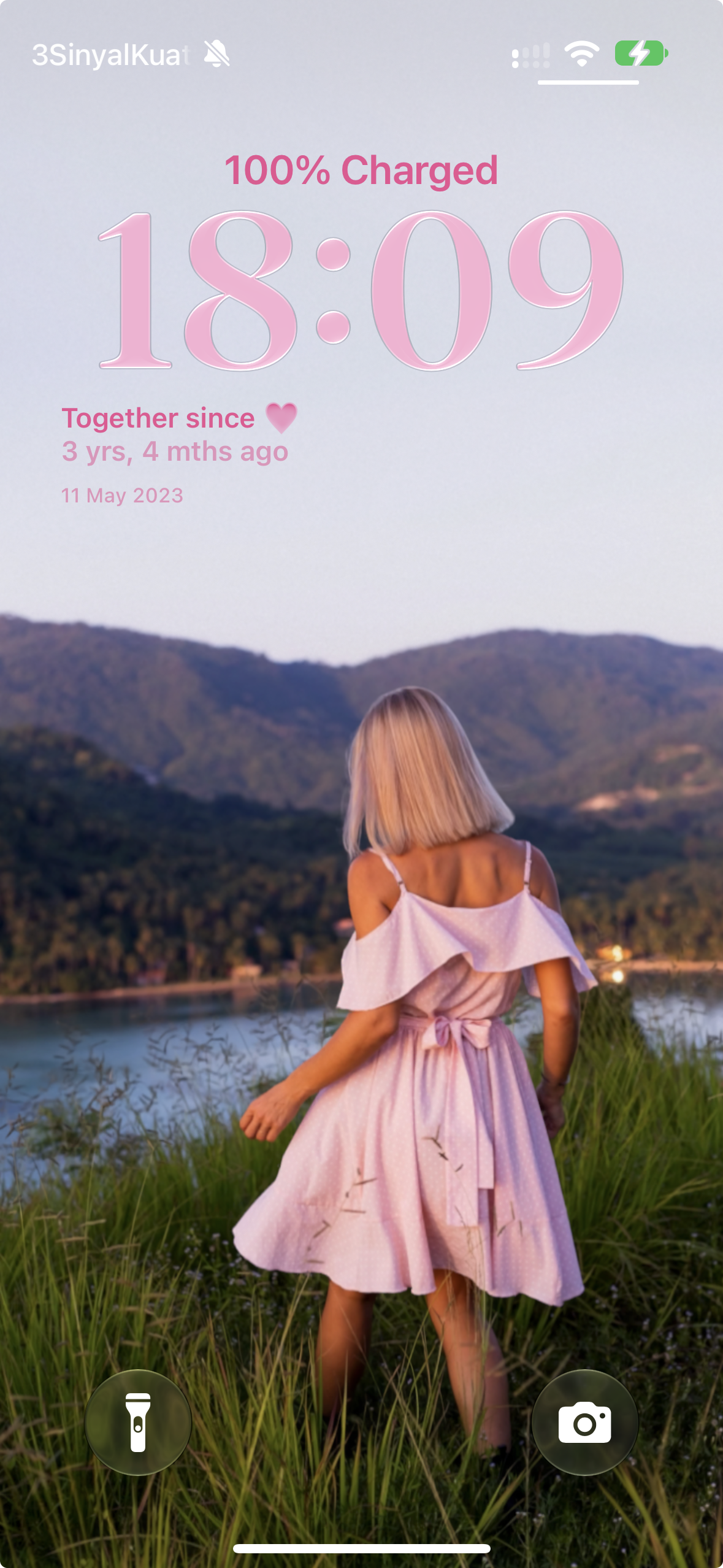
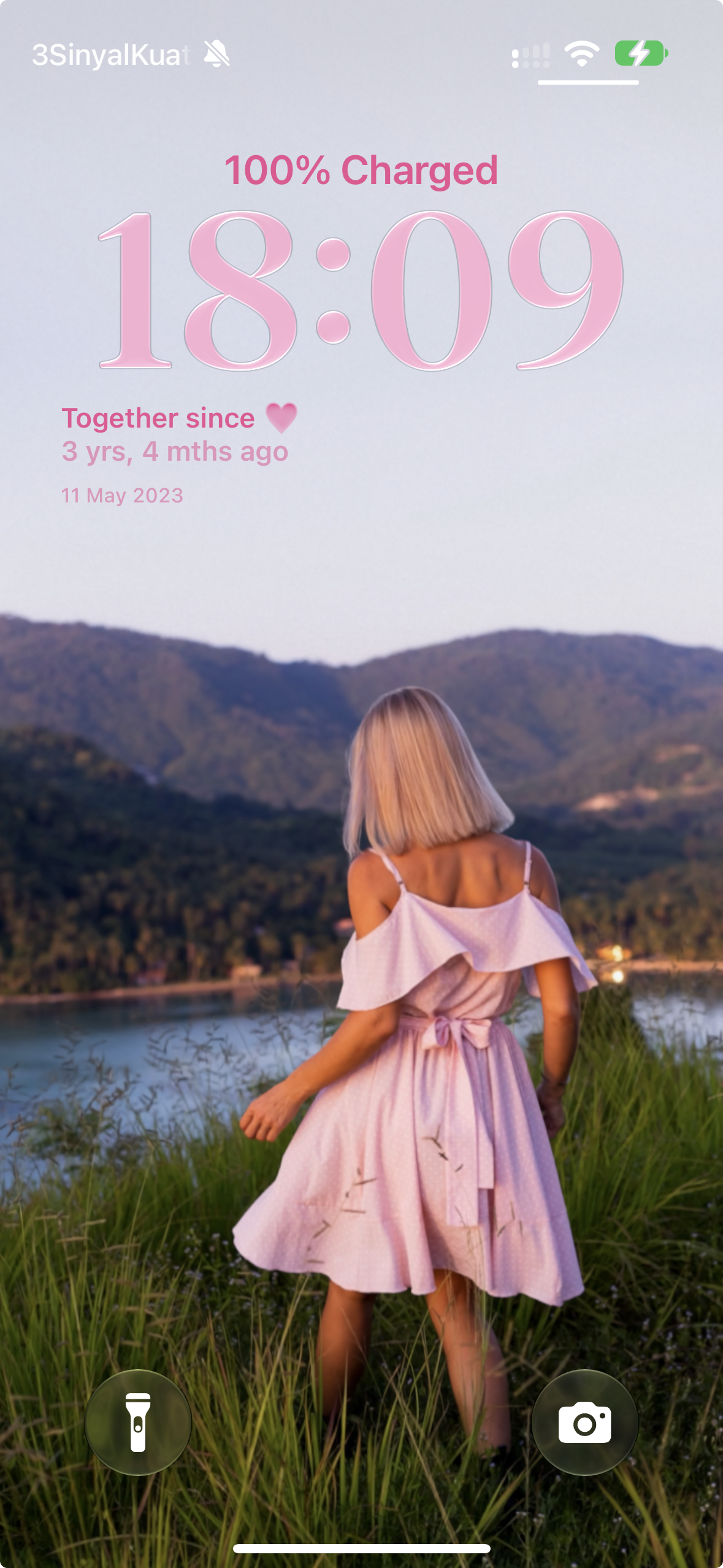
Together since · Lock Screen widget

2. Three-day warm-up

Spend 30–60 minutes a day for three days getting familiar with the niche.

Day 1 — FYP Setup

  • Follow 1–8 accounts in the couples / long-distance relationship niche.
  • Watch their most popular videos all the way through.
  • Like and save 5–10 videos in this niche.
  • Search keywords: “long distance relationship”, “couple countdown”, “Pretty Progress app”, “reunion countdown”.

Day 2 — Engage Like a Human

  • Leave thoughtful comments on 10+ couples / long-distance relationship videos.
  • Save videos you find inspiring or well-performing.
  • Listen to trending audio used in these videos and note what’s popular.
  • Don’t overlike or over-engage.

Day 3 — Final Setup

  • Post a simple “about me” video or slide. No campaign content yet.
  • Keep engaging: like, comment and follow in the niche.
  • After this, you’re ready to post campaign content.

3. Content formats

Choose your production route: AI photos made in Gemini or Grok using the same realistic female character, or videos of your face followed by Pretty Progress on your phone. Use TikTok’s built-in photo feature for slideshows.

In your posts, you can show a Home Screen or Lock Screen widget, or a Lock Screen Live Activity (available from Pretty Progress v2.2.0).

Preparing your post

  1. Use TikTok’s built-in text tool for a bold, readable hook overlay.
  2. Use real Pretty Progress screenshots or screen recordings for the app, widget and Live Activity scenes.

Name Pretty Progress naturally in your caption. Use “link in bio” only once the app link is enabled on your profile.

Format A: Relationship listicles

Hook photo or video + a numbered list in the caption

Start with a photo or a short face-to-camera video with a bold text hook. Put a numbered relationship list in the caption: tips, fun facts, date ideas, conversation starters or little milestones. In a video, you can also show your widget, a Lock Screen Live Activity, a screenshot, or open Pretty Progress from a widget on your Home Screen or Lock Screen.

Include the Pretty Progress app in at least one list item: a countdown to your next reunion, or the time since your relationship started. Make it part of the list, not just a line at the end.

What to make
OptionContent
PhotoOne AI-generated woman image with a bold, readable text hook. Put the list in the caption.
VideoYour face with the hook text, then your phone showing a widget, a Lock Screen Live Activity, a screenshot, or Pretty Progress opening from a widget added to your Home Screen or Lock Screen. Put the list in the caption.
Example caption: Relationship tips

8 small ways to feel closer in a long-distance relationship:

  1. Pick a regular time to call.
  2. Share small moments from your day.
  3. Send a voice note when your schedules don’t line up.
  4. Plan your next visit together.
  5. Make a countdown to your reunion in the Pretty Progress app and keep it on your Lock Screen.
  6. Choose a show, game or activity to enjoy together.
  7. Ask what kind of support your partner needs.
  8. Leave room for each other’s own routines and friends.

Made with the Pretty Progress app.

Example caption: Relationship milestones

8 little relationship milestones worth celebrating:

  1. The day you first met.
  2. Your first date.
  3. Your first trip together.
  4. Your first holiday together.
  5. One month together.
  6. Your first 100 days.
  7. Your first anniversary.
  8. Every day in between: use “Time together” in the Pretty Progress app to see the time since your relationship started.

The little days count too. Made with the Pretty Progress app.

Example caption: Reunion ideas

7 little things to do before your next reunion:

  1. Plan your first evening together.
  2. Save a restaurant you both want to try.
  3. Make a playlist for the journey.
  4. Pick a movie for a quiet night in.
  5. Leave some time free to catch up.
  6. Think of a small surprise to bring.
  7. Create a “My love ❤️” countdown in the Pretty Progress app and keep the reunion date on your Lock Screen.

One day closer to that hug. Made with the Pretty Progress app.

More hooks for this format
  • 8 small ways to feel closer in a long-distance relationship
  • 7 fun facts about relationships
  • 9 questions to ask on your next date
  • 8 little relationship milestones worth celebrating
  • 9 ideas for staying connected between visits
Format B: Relationship story

Hook → widget or Live Activity → app or another view

Tell the same story in three photo slides or one video: your face or a relatable image with the hook → a Pretty Progress widget or Lock Screen Live Activity on your phone → another widget or Live Activity view, or the same event in the app. In a video, you can show a screenshot or open Pretty Progress by tapping a widget added to your Home Screen or Lock Screen.

The breakdowns below work as slides or video scenes. Keep the same event and date throughout. Capture the app and widget close together.

Examples for Format B

Long distance
Example 1: Countdown to seeing him

Hook

“POV: your long distance bf made you download this to stay closer”

Three slides or video scenes

StepVisualWhat to show
1AI-generated woman photo or face-to-camera videoPOV: your long distance bf made you download this to stay closer
2Home Screen / Lock Screen widget or Lock Screen Live ActivityShow a real Pretty Progress widget or Lock Screen Live Activity for “Days until I see my love”, counting down to your next visit.
3Another widget / Live Activity view or in-app screenShow another view of the same widget or Live Activity, or open the same countdown in Pretty Progress. Both are welcome.

Example caption

A little reminder of our next visit. I made this countdown in Pretty Progress.
Example 2: The next reunion

Hook

“POV: you finally have a date for your next hug”

Three slides or video scenes

StepVisualWhat to show
1AI-generated woman photo or face-to-camera videoPOV: you finally have a date for your next hug
2Home Screen / Lock Screen widget or Lock Screen Live ActivityShow a real Pretty Progress widget or Lock Screen Live Activity for “My love ❤️”, counting down to the reunion.
3Another widget / Live Activity view or in-app screenShow another view of the same widget or Live Activity, or open the same reunion countdown in Pretty Progress. Both are welcome.

Example caption

Already counting down to that hug. Made my reunion countdown in the Pretty Progress app.

Reference image

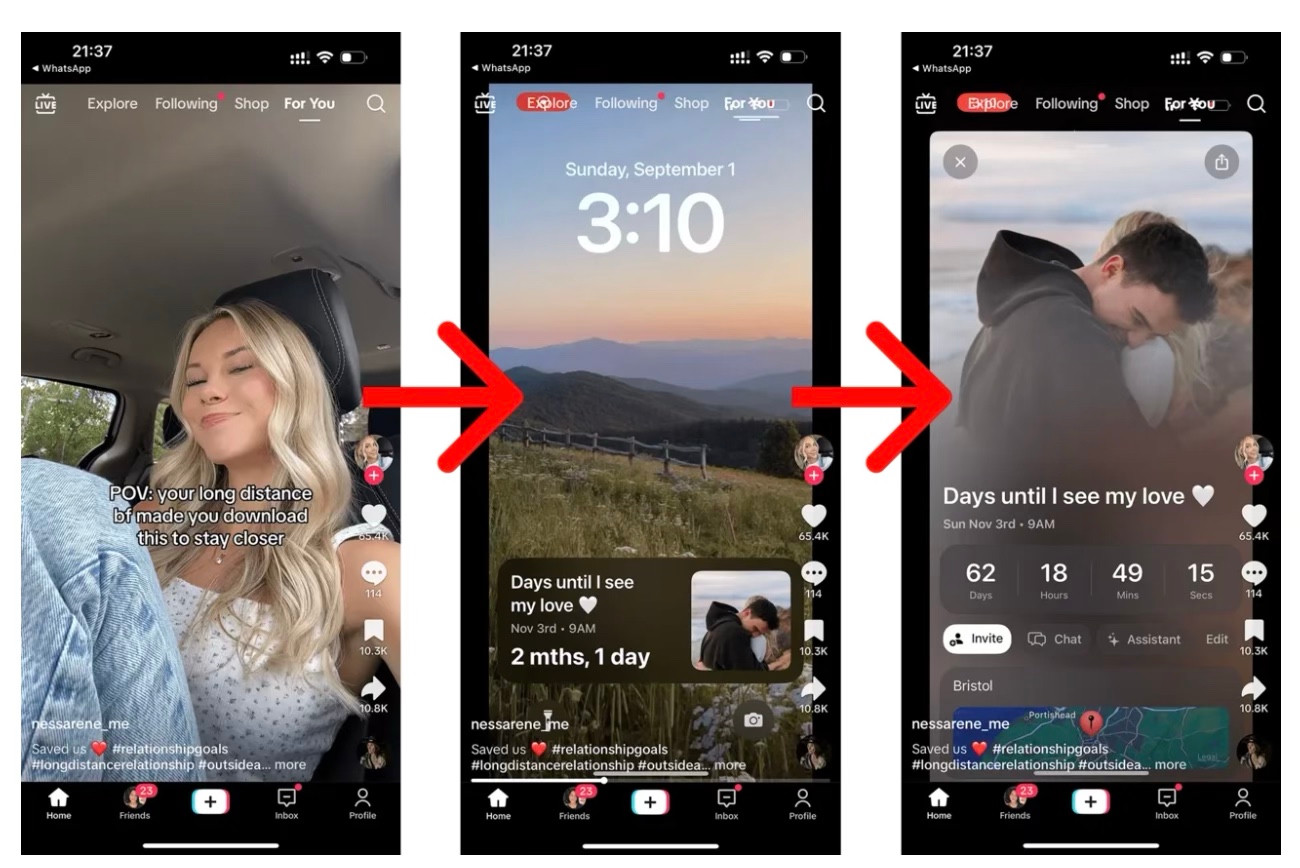
Three-slide reference: a creator selfie with the long-distance boyfriend hook, a Lock Screen countdown, then an event screen titled Days until I see my love.
Reference from another app. Follow the photo → widget → event-screen structure using real Pretty Progress screens.
Example: Time together

Hook

“He thinks I’m checking the time”

Three slides or video scenes

StepVisualWhat to show
1AI-generated woman photo or face-to-camera videoHe thinks I’m checking the time
2Home Screen widgetShow the “Time together” widget with the number of days clearly visible. Add the overlay: “I’m checking how long we’ve been together 🥹”.
3In-app count-up screenTap the widget to open “Time together” in Pretty Progress. Show the same event, your relationship-start date and a couple photo. For a slideshow, use a screenshot of this screen.

Example caption

Every day with you 🥹 Made this widget with the Pretty Progress app.